
How to choose your laptop? Screen, chassis, autonomy, etc.
Update – Several new laptops integrate our file: Acer ConceptD, Asus Zenbook UX434 and Zenbook Pro Duo, MacBook Air 2019.
The laptop is not dead! Tablets have not managed to forget laptops, quite the contrary. These have diversified: they have become hybrid, tactile with a detachable or reversible screen. On the other hand, with the arrival of ultra portables, PC gamers or other chrome books it is sometimes difficult to make your choice.
To simplify the situation, we have decided to evaluate the ranges offered to date by the manufacturers and to compare the best models of laptops.
How we rated
We have compiled all the tests and comparisons carried out by us or by other specialized sites and have determined the characteristics common to each configuration of the range: type and quality of the chassis, specific equipment, components, weight, etc. The synthesis of these data allowed us to assign an overall rating for each range. If the latter is greater than or equal to 7/10, we have selected a configuration, which seems well balanced and offers a good performance / price ratio.
Classic or hybrid laptop?
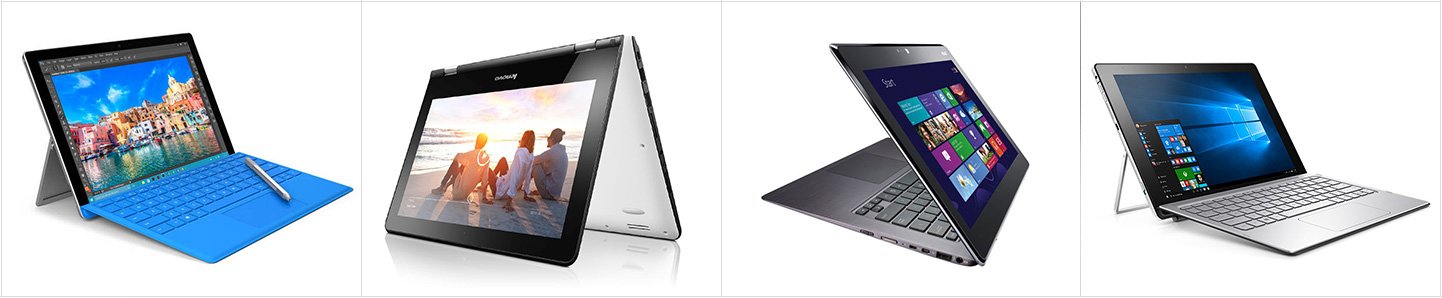
New development in recent years: the hybrid PC. It is divided into two categories and affects all ranges. Tactile in all cases, it can either offer a detachable slab, or have a hinge capable of rotating 360 ° and therefore also transform into a tablet. Good solutions for those looking for these two devices in one. If you are not interested in using tablet mode, avoid hybrid models which, at the same cost, will have a less powerful configuration.
What screen size?
Netbooks having had their day, we are done with 7 inch laptops. The bulk of sales still relate to the 15.6 inches, a comfortable, but impressive diagonal.
If the computer has to be moved often, a 13.3 ”or even 11.6” model is preferred. Smaller, they are also lighter.
Conversely, if the desired computer is intended to replace a desktop PC, a large model can be considered. We then find 17 ”and 18”.
What definition?
The definition is a second point to consider. The entry level is most often fitted with 1366 x 768 pixel tiles. We are already in High Definition (HD) , but not in Full HD . The latter starts at 1920 x 1080 pixels. It provides greater user comfort, allowing you to display more items on a desktop, for example, but also to enjoy your films, series and video games in optimal quality.
Last step: Ultra HD . Fashionable on televisions, it is still reserved for high-end PCs and has little interest for ordinary people on this medium. Some machines – most often for gamers – use an LCD panel whose QHD (Quad HD) definition is between Full HD and 4K (2,560 x 1,440 pixels).
Chassis: plastic or aluminum?
If this is an axis of choice determining for you, know that the manufacturers try to make an effort on the appearance of their entry-level machines. PCs can now be found for less than 400 € which are more and more like ultra portables, with the difference that they do not share the same configurations and only offer a plastic shell. Aluminum, meanwhile, appears in the mid-range and spreads widely in the high-end.
Power or autonomy?
The laptop market has changed little on this point. A machine intended for video games, for example, always offers less autonomy than a professional ultra portable. In question, a peak power structured around a high-performance processor and a dedicated graphics card, both consuming energy.
Conversely, an ultra portable is more measured, but if it is able to last more than 10 hours away from a power outlet, it will not be able to run certain video games or be used for advanced photo / video editing.
And the further we go down the tariff scale, the more we are dealing with weak PCs, but also not very autonomous. On the other hand, the entry level still often has removable batteries, which makes it easy to increase their autonomy by buying a second battery , to the detriment of space.
 Xfinity Tech Blog